¶ Summary
The template system allows for ease of generation and modification of pages and elements.
They provide to main advantages:
- Settings and elements are defined in one place only. If the background image of a config needs to be changed, this allows for this change to be done on a single page instead of on all pages manually.
- Consistency between configs. It is incredibly easy to forget to set a certain value of an element on a single page, which leads to an inconsistent layout. Having all pages use the same element prevents this from happening.
Note
Unless this feature is explicitly used by following the first step in the Howto-section, it will not be enabled, and the view&config will remain the same as before.
A template can be seen as a blueprint. One first creates a template, which contains some common settings and elements for other pages (this could, for instance, be the background&size of page, a logo-element, a banner, and a home-button).
Afterwards, other pages that are generated can then use this first page as a template (a page using a template will be called an instance), meaning they will copy all of its settings into their own page dynamically.
Note
If a template is changed in retrospect, all pages that use this template will change as well. This can be used to change some global* settings that affect multiple pages, such as the design of the logo.
Note
The template-feature works recursively. One could create a very basic template with just the background, create an instance of that template which adds a button and a logo, and then use this secondary template for all other pages.
¶ Howto
¶ Page-templates
First, create a template-page. This can contain any type of setting, as well as any element you desire. Treat it as any normal page.
After you are done, register the page as a template by giving it a unique name.
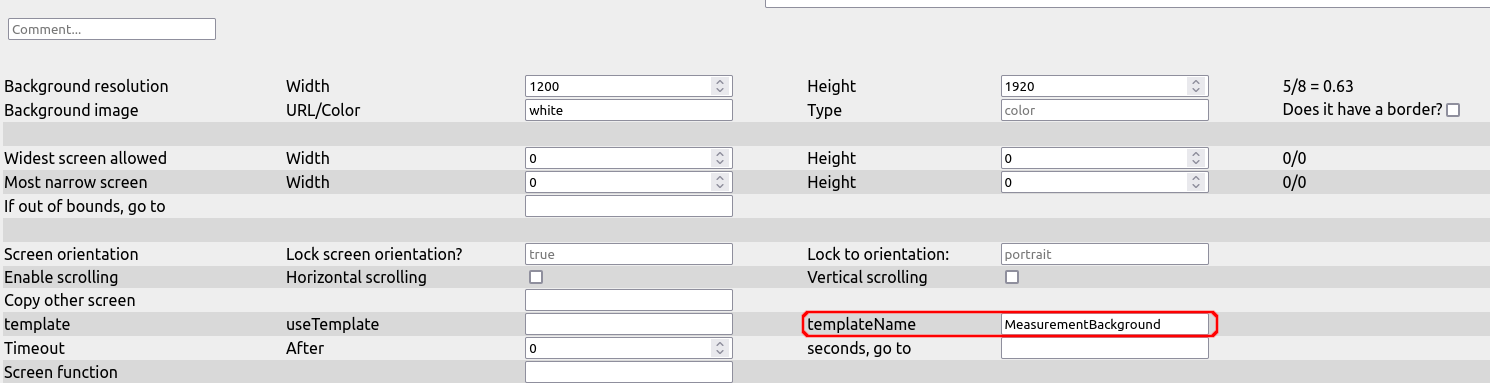
From hereon out, you can use this template on other pages.
Create a second page, and tell it to use the newly created template:
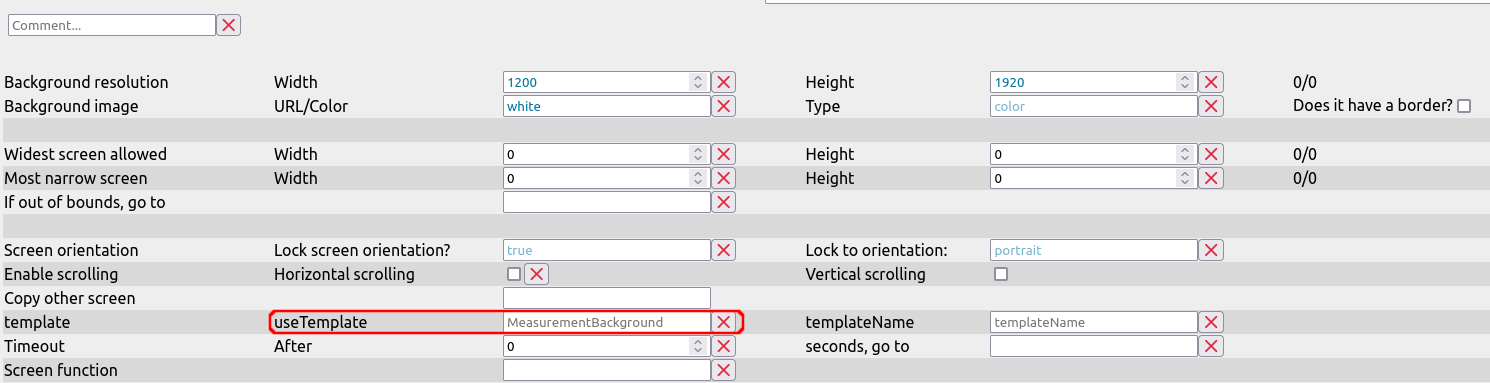
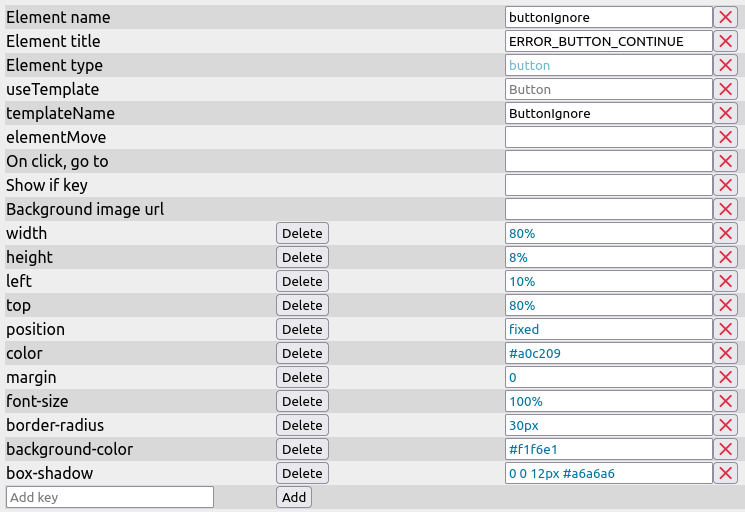
After a tiny delay, the template was loaded into the current page, visible by blue values. These are an indicator that the current page does not define this value itself, so it is loaded from the template.
You can re-define a value by changing a blue value as you'd do normally.
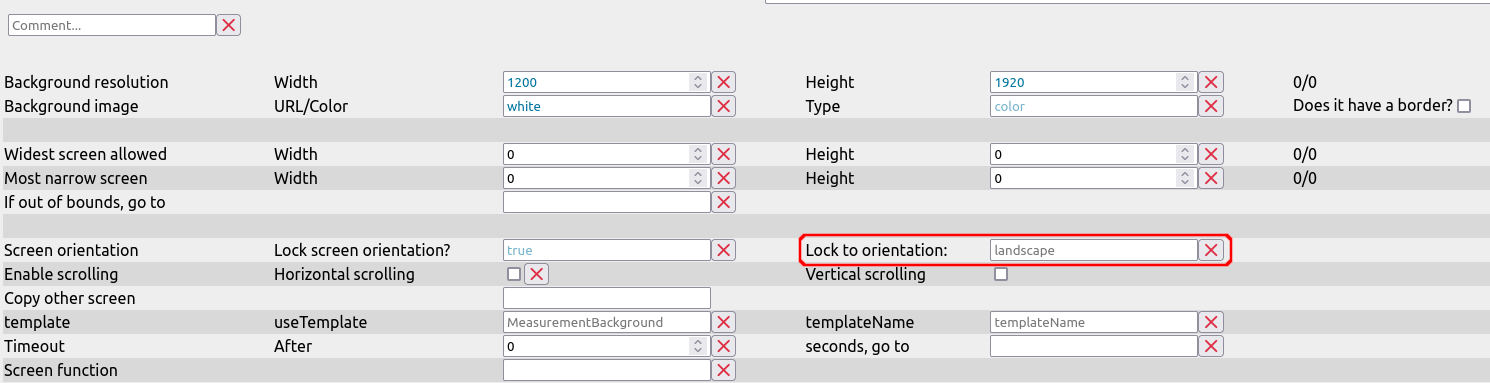
It will turn black, indicating that it is now defined on the current page itself and not inherited from the template.
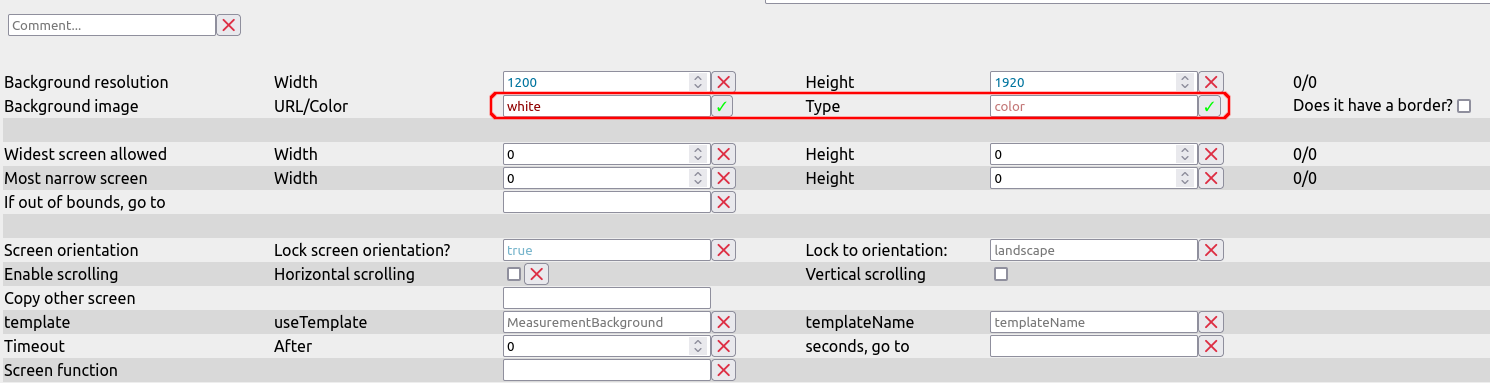
After selecting the template of the page, a number of checkboxes will have appeared next to most fields.
- Clicking it for a black field will delete this value for the current page, so the page will inherit this value from the template again if possible.
- Clicking it for a blue field will disable inheritance for this field. Even if the template has this value defined, it will not be loaded into the current page. The field will be colored red after clicking this, indicating that a value could be inherited, but is not.
- Clicking it for a red field is the opposite of the case above - it re-enables inheritance of a value.
¶ Element-templates
Element-based templates work very similar to page-templates. You first register an element by giving it a unique identifier.
Note
Identifiers have to be unique within element-templates. It is, however, possible to have a page-template and an element-template with the same name, though it is not advised to do so.
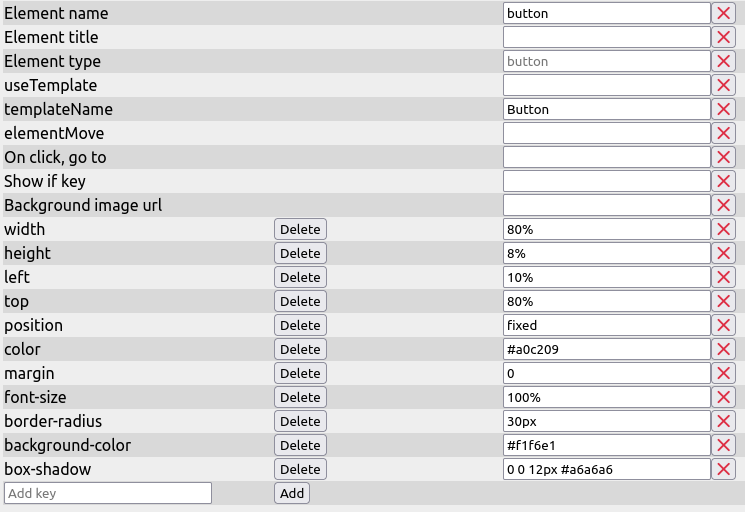
Similar to page-templates, this element-template can now be used, and single keys can be overwritten or disabled.
¶ Advised practices
In our config, we have the following structure
- One page-template for each group of pages that will look similar. For instance, we have one template "MeasurementBackground", which contains the background, two logos, two text-fields, a graphic, and a button. Every single measurement-page will always be an instance of this one template. All of them redefine the value of the text-fields as well as the image, and some will add their own elements, such as a second button or another graphic.
- We also create a page that we will never use, which contains element-templates, such as a generic button, a spinner in the dimensions we need, and so on. We reference these templates in other pages, mostly in pages that are not instances of page-templates, so ensure some unity among their elements.