¶ Summary
A config has an initial page, one that the app displays first. This initial page will now be set to the one you just created.
¶ How to
- Return to the overview of pages for your config.
- Click on the gear-icon in the upper left corner
- Click on the
initialStage-field, and select our new stage. - (Optional) select a local server in the
target API url-field.- This defines from which server this config should ideally be fetched. If this server does not respond, other servers will be tried, this is just the default one.
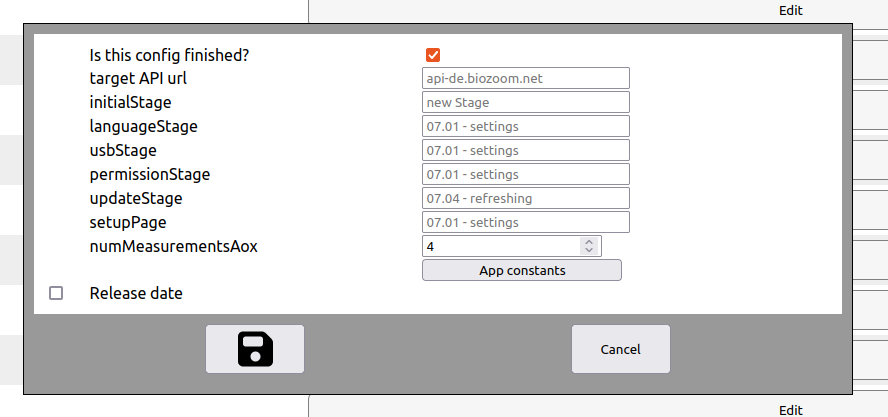
- This defines from which server this config should ideally be fetched. If this server does not respond, other servers will be tried, this is just the default one.
- Click on the Save-icon below.