¶ Summary
Images may be linked together into a directory, which can then be assigned to elements or used as a page background.
The directory will contain a link to different images, using a language to point to a specific image.
¶ Directory
Within the media manager, other than just creating images, a directory can be inserted by clicking on the +-icon in the upper left corner. After entering a name and confirming, it will appear in the list below (with a generic folder-icon).
Images can then be linked to this directory by clicking on the Link to images-button.

In the new overlay, new languages can be added by entering the language tag in the empty field.
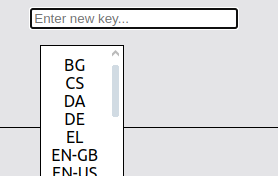
This will create a new table-row. This will have an empty box as an image, meaning that the image is empty.
Clicking on this box will open another overlay, a table will all images that are available to the current user. An image can be chosen by clicking on it, and it will be linked.
Changes here need to be confirmed by clicking the Save-button.
¶ Using a directory
After creating the directory, its url can be copied, similar to images. It can then be entered as an image url for backgrounds or elements, and the application will automatically look up which language is selected, and which images should be loaded for this case.![medialink1.png]